Breakfast Host by TRVK

For hotel breakfast teams

Every breakfast guest. Every allergy. One iPad.

Your hotel system sends today's guests by itself. The host sees who is coming, with every allergy in full. One tap prints a sheet for the table.

  • 30 days free
  • Then US$25 a month per hotel
  • Cancel any time
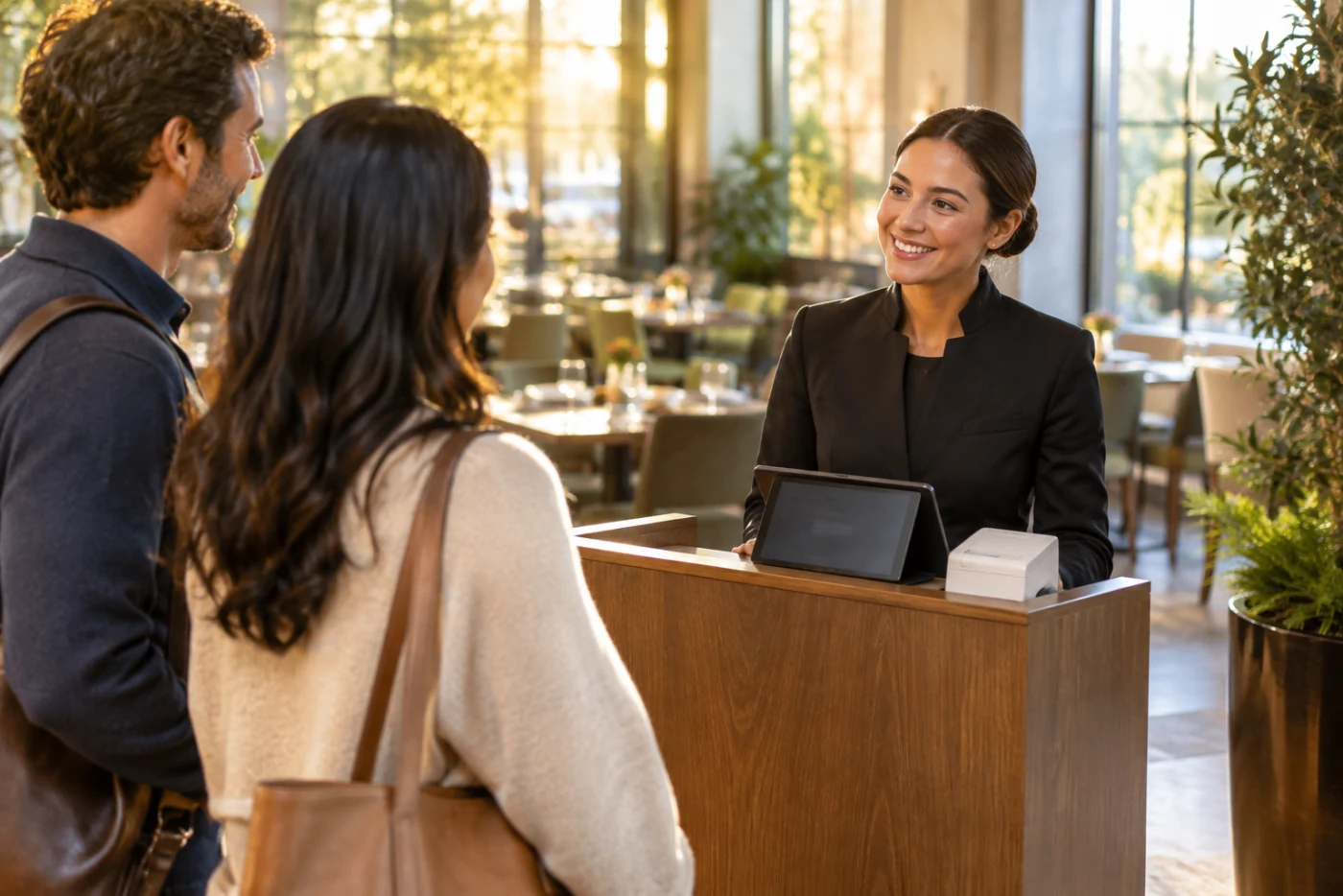
A smiling breakfast host greets an arriving couple at a wooden host stand with a tablet and a small white receipt printer, in a sunlit hotel restaurant.

What it does

Four things. Nothing else to learn.

Hotel system Every morning by itself Today's guests
1

The guest list arrives by itself

Every morning your hotel system sends today's guests to the iPad. Nobody downloads, prints or types a list.
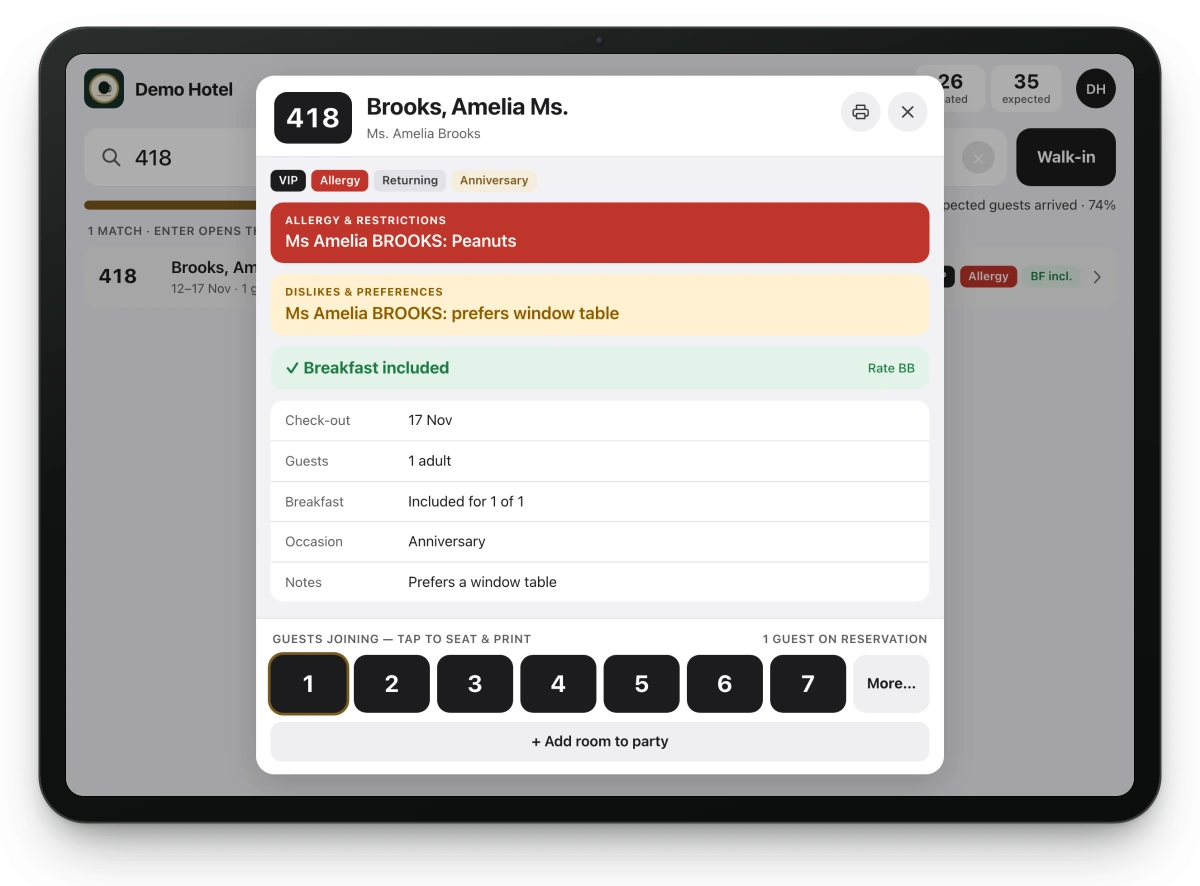
The Breakfast Host door screen on a tablet with room 418's guest open: a red allergy band reading Peanuts, breakfast included, and buttons to choose how many guests are joining.
2

The iPad at the door shows who is coming

Type the room number. The name, whether breakfast is included, and every allergy in full, in red. Never shortened.
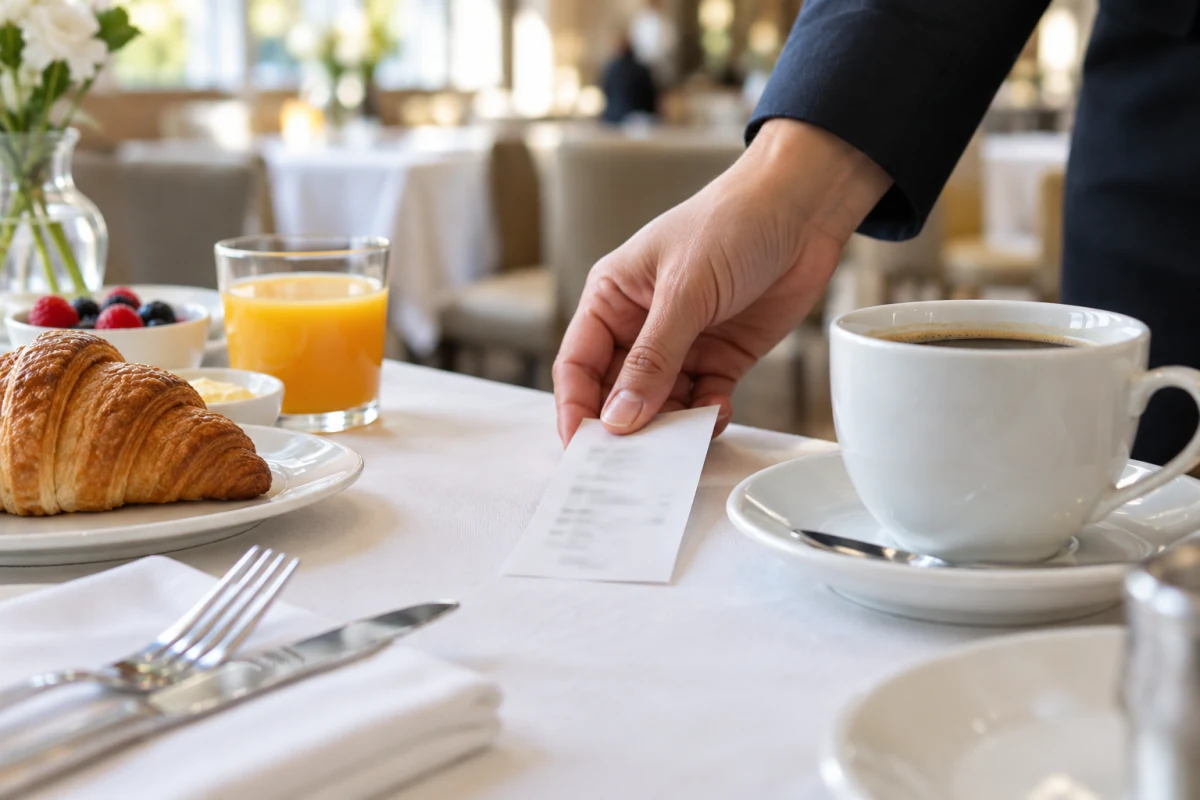
A staff member's hand places a small printed paper slip on a set breakfast table beside a cup of coffee, a croissant and orange juice.
3

One tap prints a sheet for the table

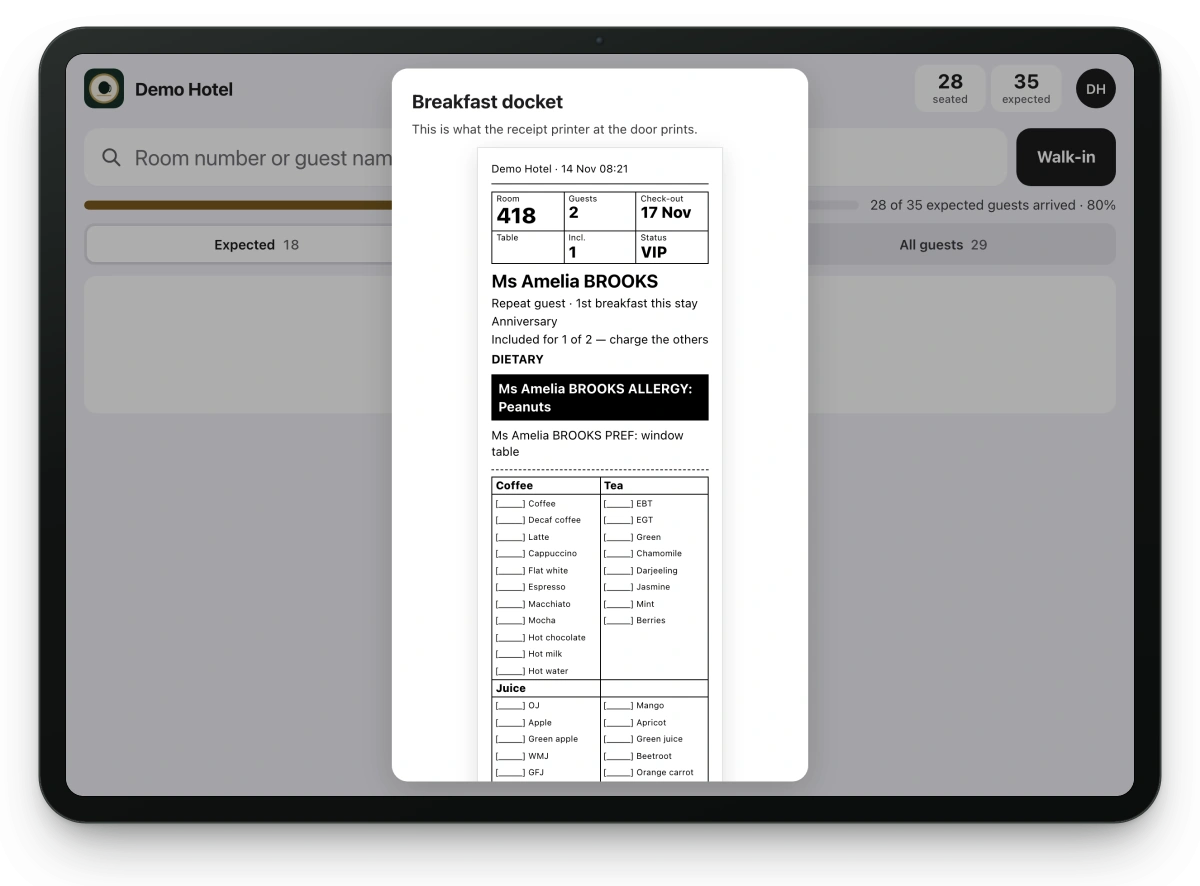
Tap how many are joining. A small sheet prints with the allergies at the top. The server takes it to the table.
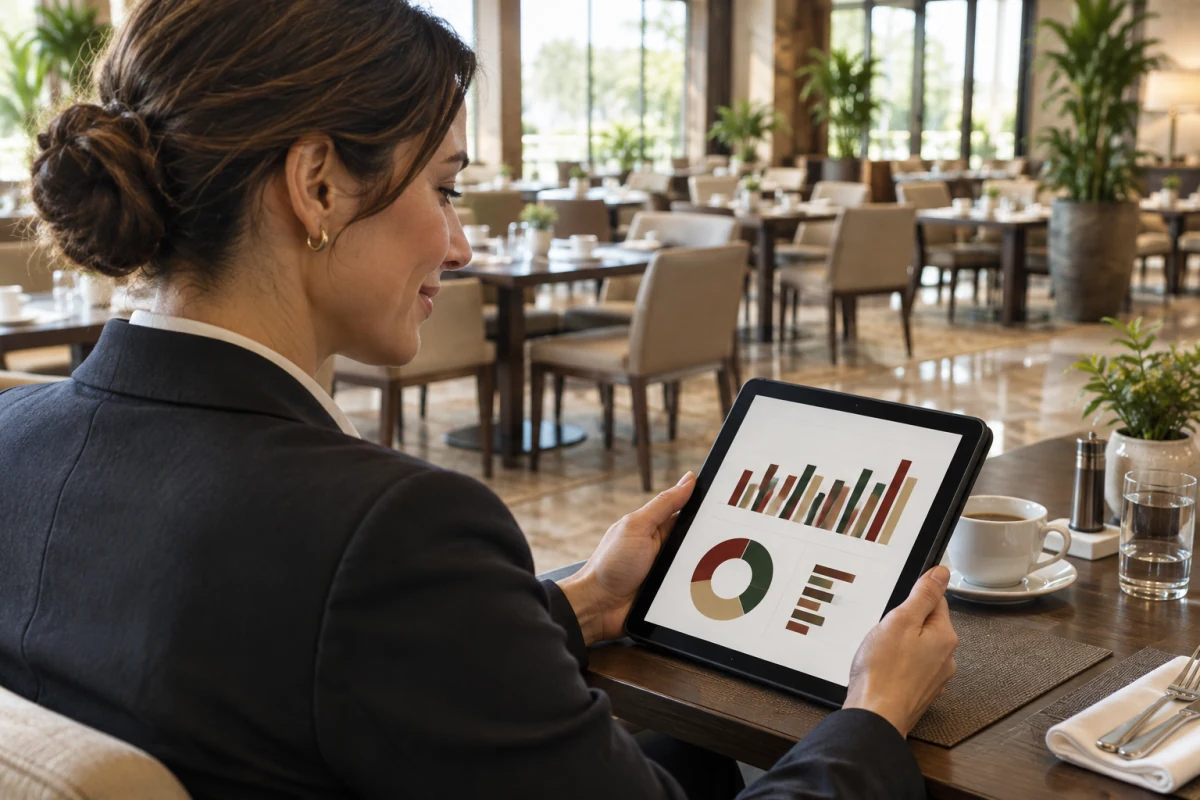
A restaurant manager looks at bar and donut charts on a tablet at a table in an empty, tidy breakfast room after service.
4

After service, a clear analysis

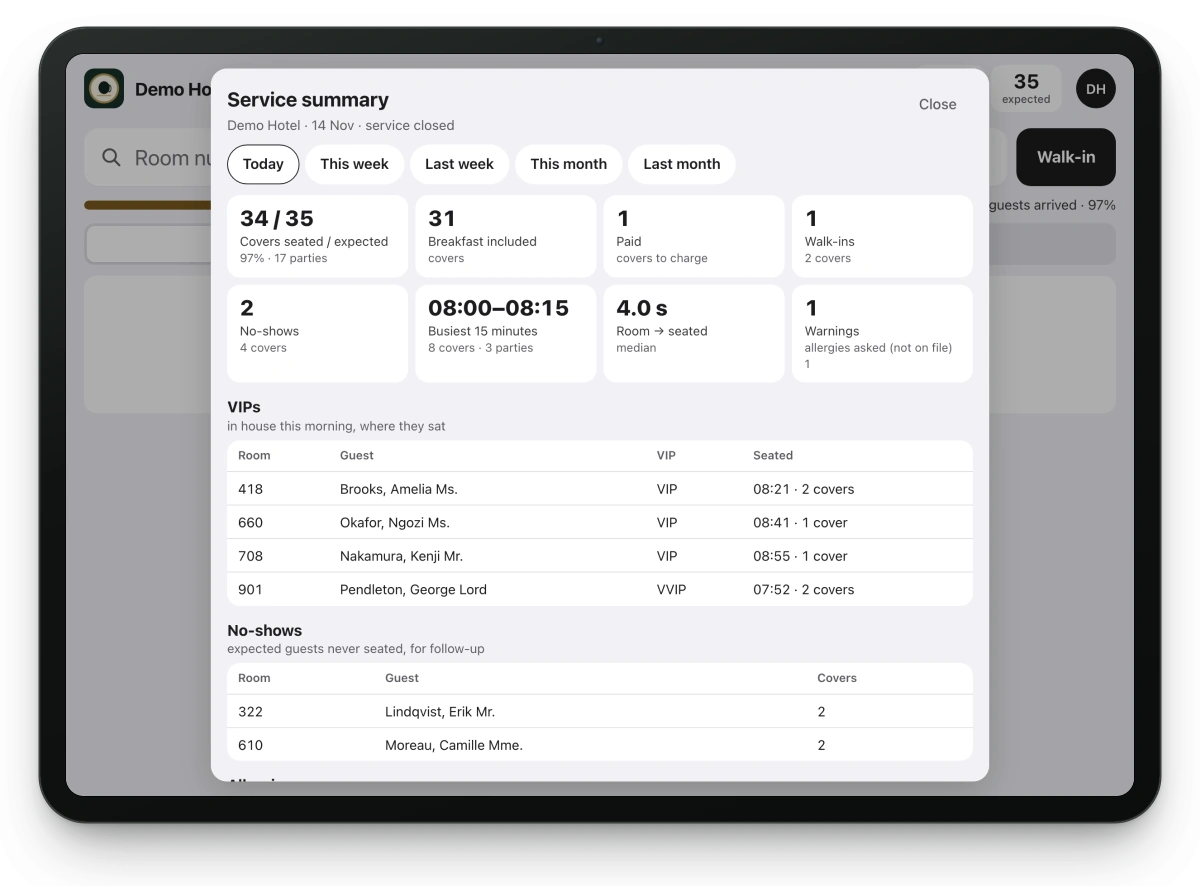
How many came against how many were expected, walk-ins, no-shows and the busiest fifteen minutes. On screen, or printed.

What you need

Three things. You probably have the first two already.

  • An iPad In Safari, on your Wi-Fi. No app to install: you open a link.
  • Your hotel system's daily guest list Your front office schedules one report email, once: about five minutes. You get the exact steps as a ready-written email to send them.
  • A receipt printer Optional An Epson TM over Bluetooth, or any AirPrint printer. Or start without one: the sheet shows on the screen.

The real screens

This is the app your team uses, with a made-up hotel. Try it yourself: no sign-up.
The door screen with room 418 open: the guest's peanut allergy in a red band, breakfast included, and the buttons for how many are joining.
The door: who is coming, allergies first
The guest sheet for room 418 on a tablet, with the guest's peanut allergy in a black band and a drinks checklist below.
The sheet for the table
The end-of-service summary on a tablet: guests seated against expected, breakfast included and paid, walk-ins, no-shows, the busiest 15 minutes and time to seat.
After service: the analysis

Start in three steps

About ten minutes in all. You do it yourself: nobody needs to call us.

  1. 1 minute · youSign upFive short answers, then your card on Stripe's secure page. Nothing is charged for 30 days.
  2. 5 minutes · youOpen the link on the iPadThe iPad sets itself up. A short guide sets up your printer. Add your team: each person gets their own code.
  3. 5 minutes · front officeSchedule the daily reportOnce only: send them our ready-written email with the steps. From then on, your hotel system sends the guest list by itself.
  4. Tomorrow morningYour list is thereYour host types the first room number. That's it.

No list on the first morning? Load today's list as a file on the iPad in a minute.

Allergies first

  • Every allergy, in full: never shortened, on screen, on the sheet and on the morning briefing.
  • No allergy information in the hotel system's list? The iPad and every sheet say: ask every guest.
  • The morning briefing lists every allergy in the house for the line-up.
  • Guest data is deleted from the iPad 24 hours after it arrives, and from our server as soon as the next morning's report replaces it.

Price

One price per hotel, everything included. 30 days free, then your first payment on day 31. Cancel any time before and you pay nothing.

Monthly

US$25 per hotel a month

  • Free 30-day trial
  • No setup fee
  • Monthly, cancel any time
  • All iPads and printers at your hotel
Start free trial
Two months free

Yearly

US$250 per hotel a year

  • Free 30-day trial
  • No setup fee
  • Yearly: US$250, two months free
  • All iPads and printers at your hotel
Start free trial

You pay by card on Stripe's secure page. Change your card or cancel there too, any time.

Questions? [email protected]

Works with your systems

Every hotel system works today through its daily report email: it sends the morning guest list to your hotel's own address by itself, as an Excel file, a CSV file or a PDF list. The first time, the iPad asks you which column is the room number and which the guest's name; after that the list is read by itself. Where the system's maker has opened a direct link for us, it connects directly instead. A till without a direct link: the iPad reads a photo of the printed sheet.

Hotel systems

  • Oracle OPERA Cloud by daily report email (Excel, CSV or PDF list) Supported
  • Mews by daily report email (Excel, CSV or PDF list) Supported
  • Apaleo by direct link Supported
  • Cloudbeds by daily report email (Excel, CSV or PDF list) Supported
  • RMS Cloud by daily report email (Excel, CSV or PDF list) Supported
  • Clock PMS+ by daily report email (Excel, CSV or PDF list) Supported
  • Hostaway by daily report email (Excel, CSV or PDF list) Supported
  • Beds24 by daily report email (Excel, CSV or PDF list) Supported
  • NewBook by daily report email (Excel, CSV or PDF list) Supported
  • eZee Absolute by daily report email (Excel, CSV or PDF list) Supported
  • hoteliga by daily report email (Excel, CSV or PDF list) Supported
  • Smoobu by daily report email (Excel, CSV or PDF list) Supported
  • protel (planet) by daily report email (Excel, CSV or PDF list) Supported
  • Shiji Enterprise Platform by daily report email (Excel, CSV or PDF list) Supported
  • Stayntouch by daily report email (Excel, CSV or PDF list) Supported
  • Little Hotelier by daily report email (Excel, CSV or PDF list) Supported
  • SIHOT by daily report email (Excel, CSV or PDF list) Supported
  • Any other hotel system by daily report email (Excel, CSV or PDF list) Supported

Tills

  • Oracle MICROS Simphony by photo of the printed sheet Supported
  • Square by photo of the printed sheet Supported
  • Toast by photo of the printed sheet Supported
  • Lightspeed Restaurant (K-Series) by photo of the printed sheet Supported

Printers and iPads

  • Epson TM receipt printers over Bluetooth Supported
  • AirPrint printers Supported
  • iPad in Safari Supported

Questions

Before you start

Do I need to install anything?

No. You open a link on the iPad, in Safari, and add it to the home screen. The iPad sets itself up from that link.

Which printer do I need?

An Epson TM receipt printer over Bluetooth, or any AirPrint printer. You can also start without a printer and add one later: until then the sheet shows on the screen.

How does the guest list get onto the iPad?

Your hotel system sends it, every morning, by itself: either directly or as a daily report by email to your hotel's own address. After sign-up you get the steps as a ready-written email for your front office.

What if our hotel system isn't on the list?

Breakfast Host needs one thing from it: today's guest list, as your system exports it, sent by email every morning or loaded as a file on the iPad. Try it with your own list in the 30 free days: nothing is charged if it does not fit.

Your systems and your data

Do we need our information technology (IT) department?

Usually not. Nothing is installed on your hotel's computers or in your hotel system: Breakfast Host only reads the guest list. Whoever schedules reports in your hotel system, often the front office, sets up one daily email, once. You get the steps as a ready-written email to send on.

Where is our guest data, and is there a data processing agreement?

On your iPad and on our server in Frankfurt, in the European Union. Guest lists are deleted from the iPad after 24 hours, and from our server when the next morning's report replaces them, after 7 days at the latest. Before your hotel goes live you receive our data processing agreement, which names every service we use. Privacy.

Is our guest data safe?

Each hotel's data is walled off from every other hotel's. Guest lists are deleted from the iPad 24 hours after they arrive, and from our server as soon as the next morning's report replaces them. No cookies or tracking on this website. Privacy.

Price and contract

What happens after the 30 free days?

Your first payment is on day 31: US$25 a month, or US$250 a year. Founding hotels on the monthly plan pay US$10 a month for their first 12 months, while places are left. Cancel before then and you pay nothing.

Is there a contract or a minimum term?

No. The monthly plan runs month by month: cancel online any time, and it ends with the month you have paid for. The yearly plan is paid one year in advance. Terms of service.

Can we pay by invoice?

Today by card only, on Stripe's secure page. Stripe emails a receipt for every payment. You can enter your company's name and tax number at checkout, and see your invoices under manage your subscription.

How do I change my card or cancel?

On Stripe's secure page: manage your subscription. You sign in with your email; no password to remember.

We have several hotels, or several breakfast restaurants

The price is per hotel: each hotel signs up once and gets its own guest list, iPads and codes. For a second breakfast restaurant in the same hotel, email [email protected] and we set it up.

Every day

Does my team need training?

No. It is made for staff who do not read manuals: a short guide leads through the first start, and Help is inside the app, step by step. Your team can practise with made-up guests first; real guests stay untouched.

Can we use more than one iPad?

Yes: all iPads at your hotel are included. The same link works on each of them. At sign-up, choose how many under "More options".

Which language is the app in?

English, today. The words on the screen are short and plain.

What if the Wi-Fi drops during breakfast?

The door keeps working with the morning's list. A late payment never switches the iPad off during service either.

Who is behind Breakfast Host?

TRVK Software. Questions: [email protected].

Try it free for 30 days

Set up tonight, use it tomorrow morning.

Questions? [email protected]